How to Register PTA Mobile DRS Step by Step Guide on (Individuals)
-
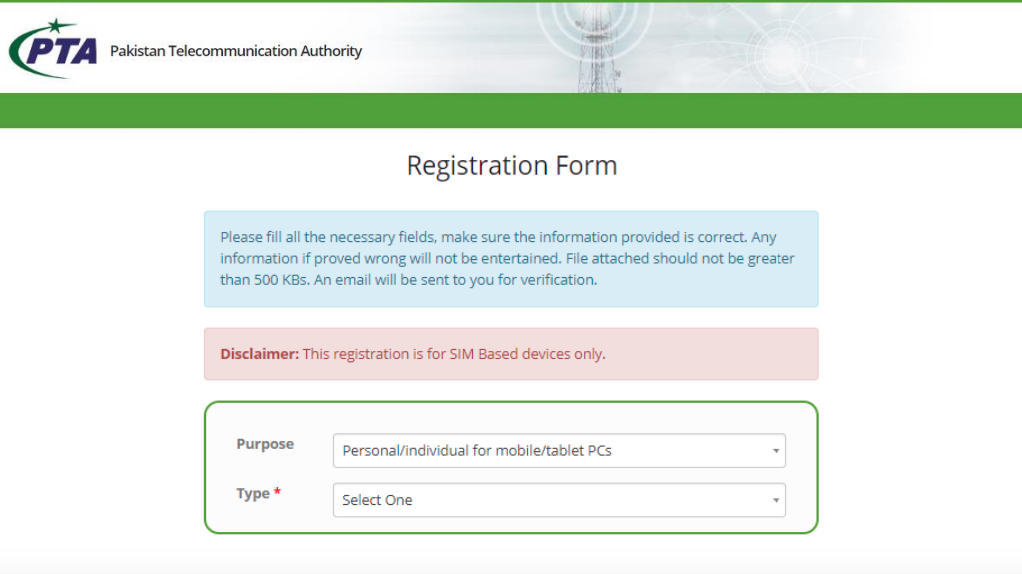
To register your device, go to this link and create your account as an individual user. Select your user type International traveler
On submission of Signup form, a confirmation link will be received in your provided email address. Click on the confirmation link to activate your account and login to register your device(s).- Click on “Click here to Register Your Device” button or click on Apply for COC tab under Individual COC
- Read the Important Message carefully and fill the form accordingly
- Make sure the entered IMEI is GSMA valid and not duplicate, stolen, cloned or counterfeit
- Click on “Submit” button
- You will receive a confirmation SMS on your provided contact number according to the nature of your registration
- In case of first free device registration (baggage rule), status of your application would be approved
As per custom baggage rules, 1 mobile device is exempted from duty/taxes, provided the passenger stay aboard has been for more than 7 days and registers the device(s) within 60 days of arrivals (Upon submission of request the passport number + CNIC/NICOP whichever is applicable is verified via FIA immigration system and in case of system response stating the passenger applying is eligible for tax exemption, FBR will notify via system to user of same and device IMEI will be registered under baggage rule exemption). In case you have applied through the system with incorrect details, user can log in to their account and click on My Application TAB and delete pending request.
- DRS Links Device Registration Link : https://dirbs.pta.gov.pk/drs

- Sign-up Form
- Read Instruction carefully
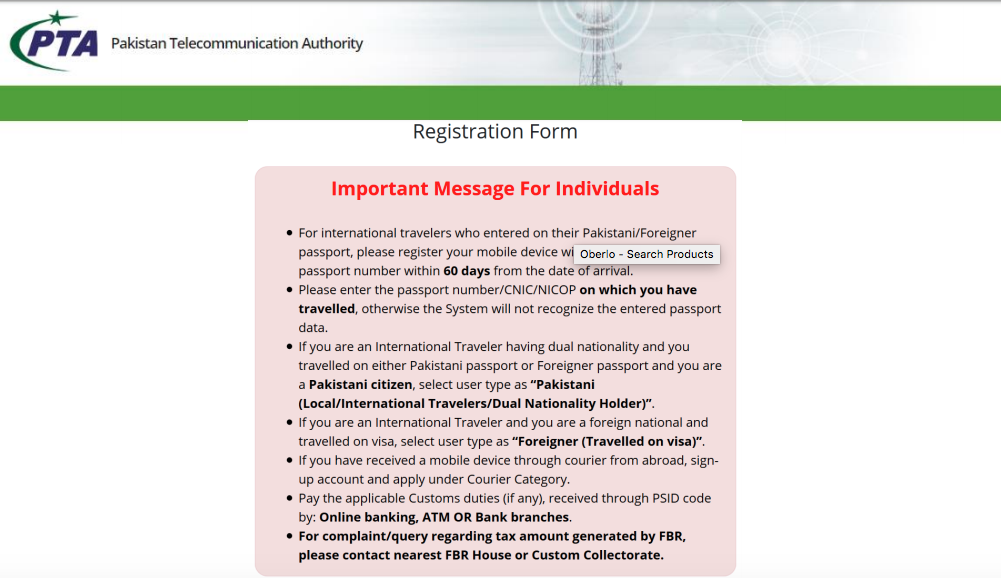
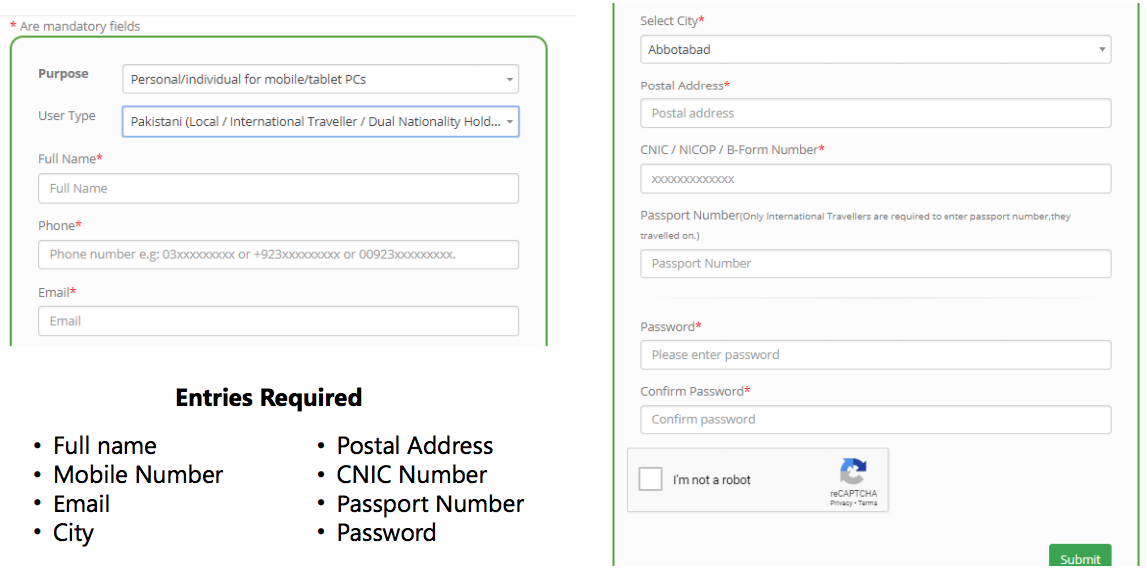
- Sign-Up Form : Pakistani/Local
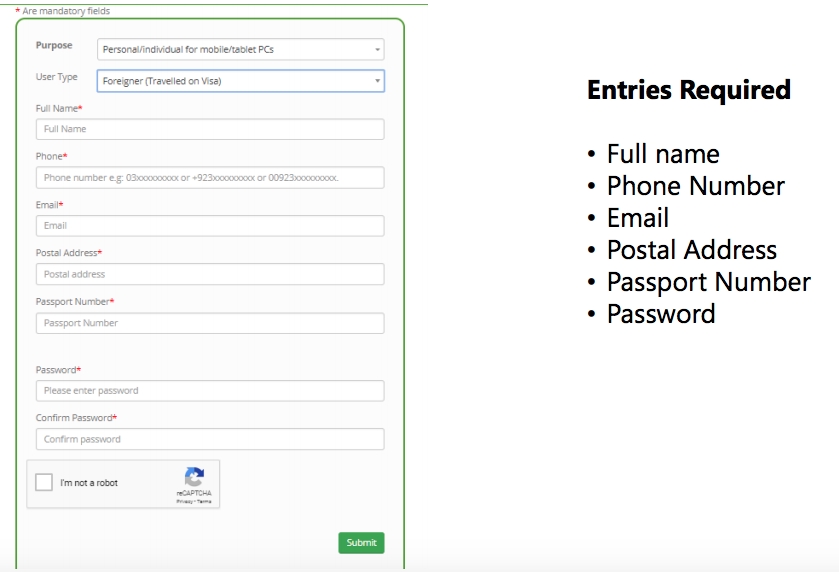
- Sign-Up Form : Foreigner
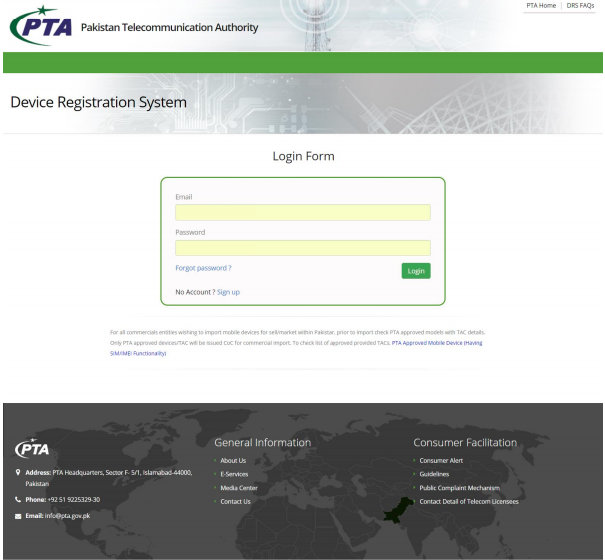
- Login Form
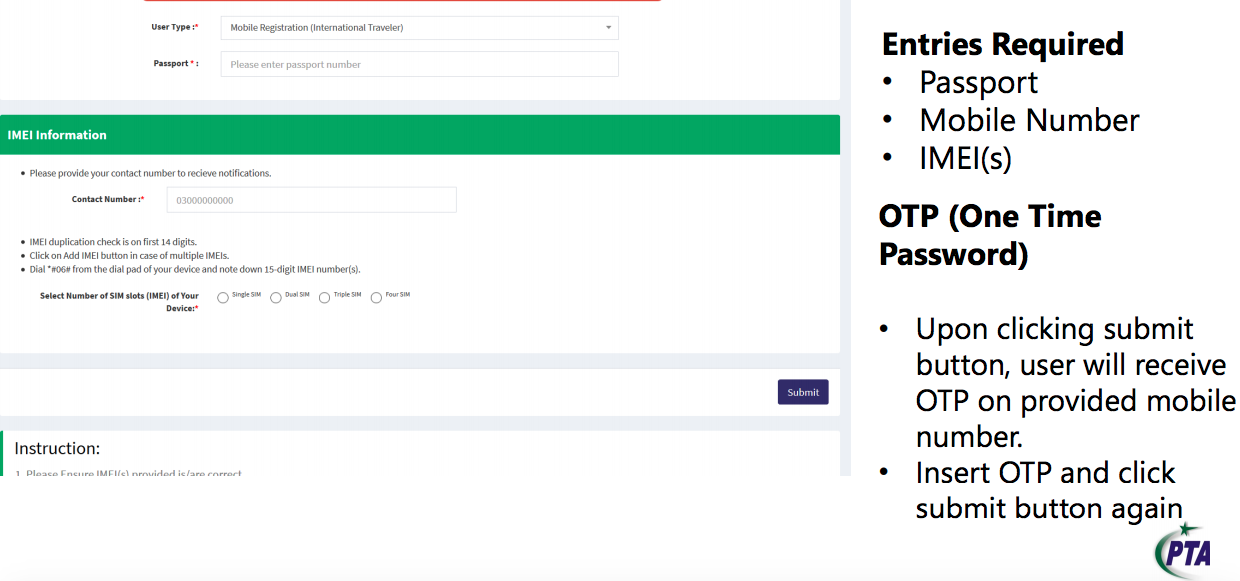
- Local Pakistani (International Traveler) Applicant COC Apply
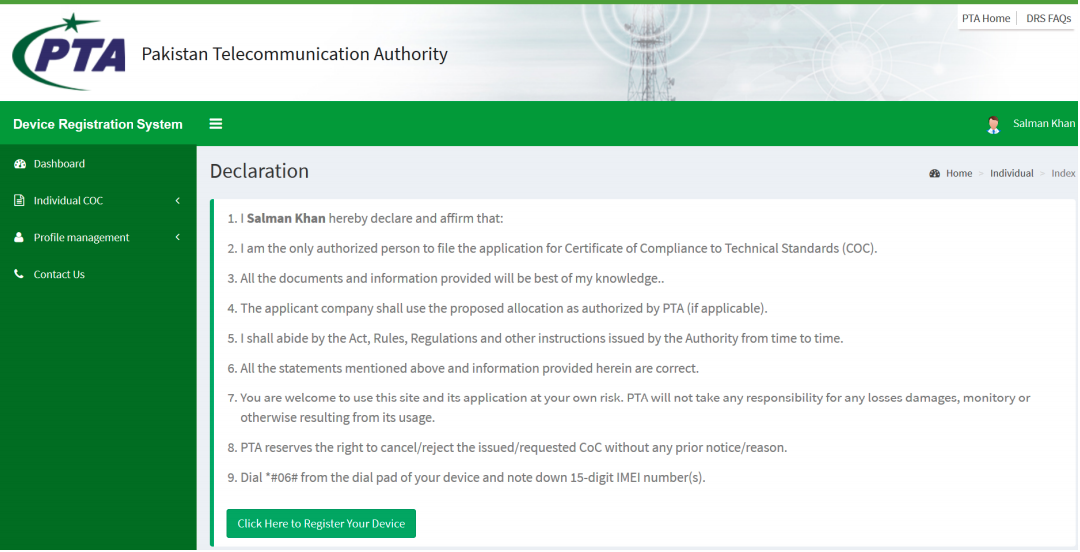
- Local Pakistani (International Traveler) Applicant COC Apply
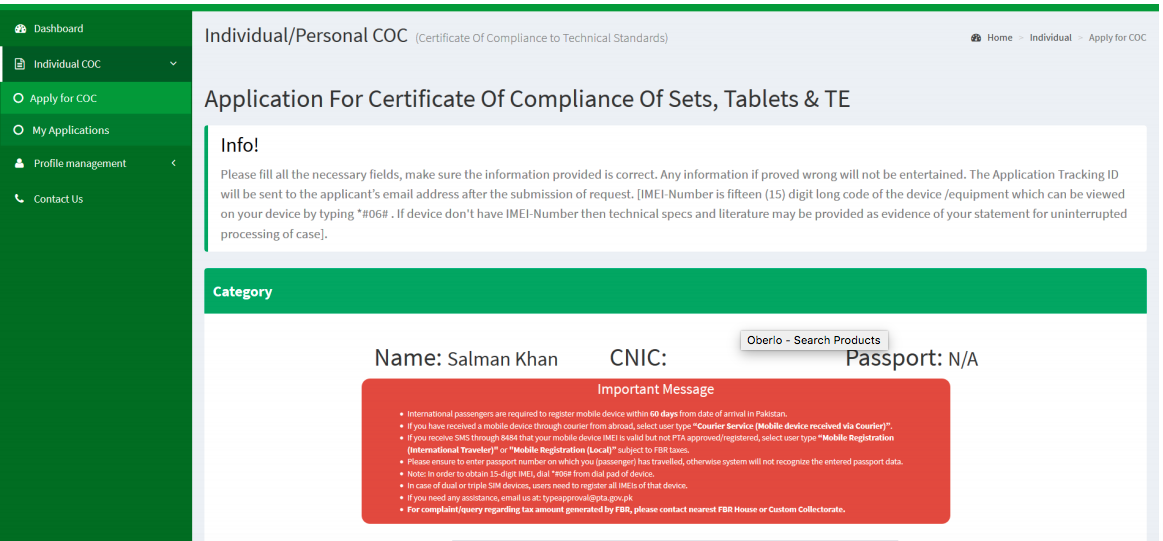
- Local Pakistani (International Traveler) Applicant COC Apply
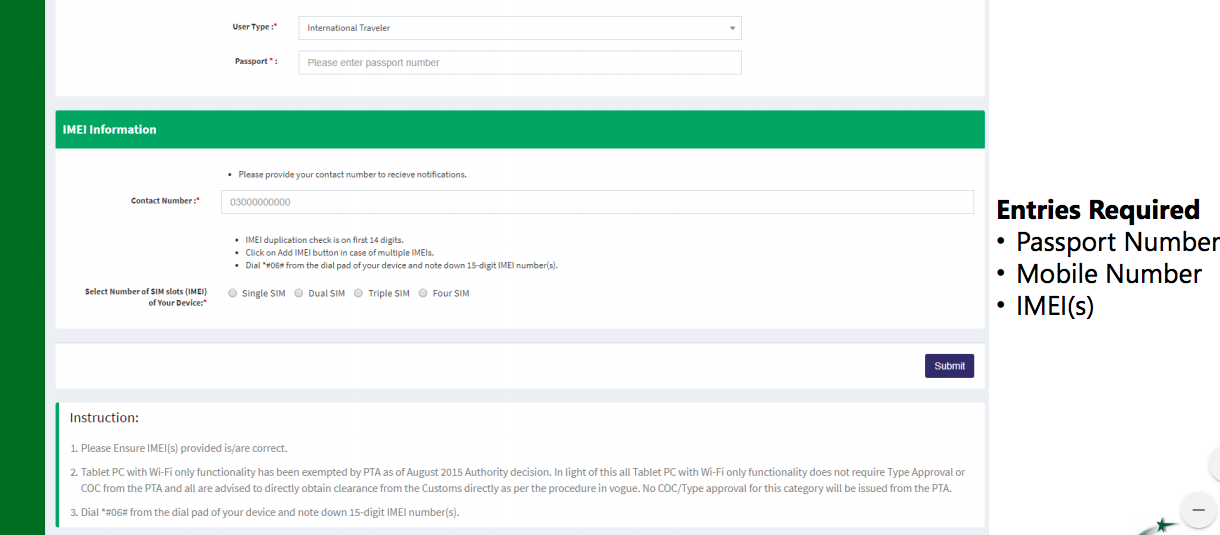
- Local Pakistani (International Traveler) Applicant COC Apply
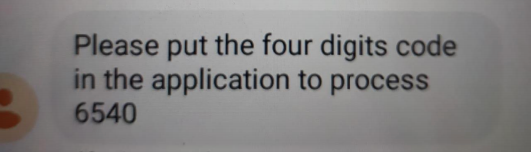
- OTP Message
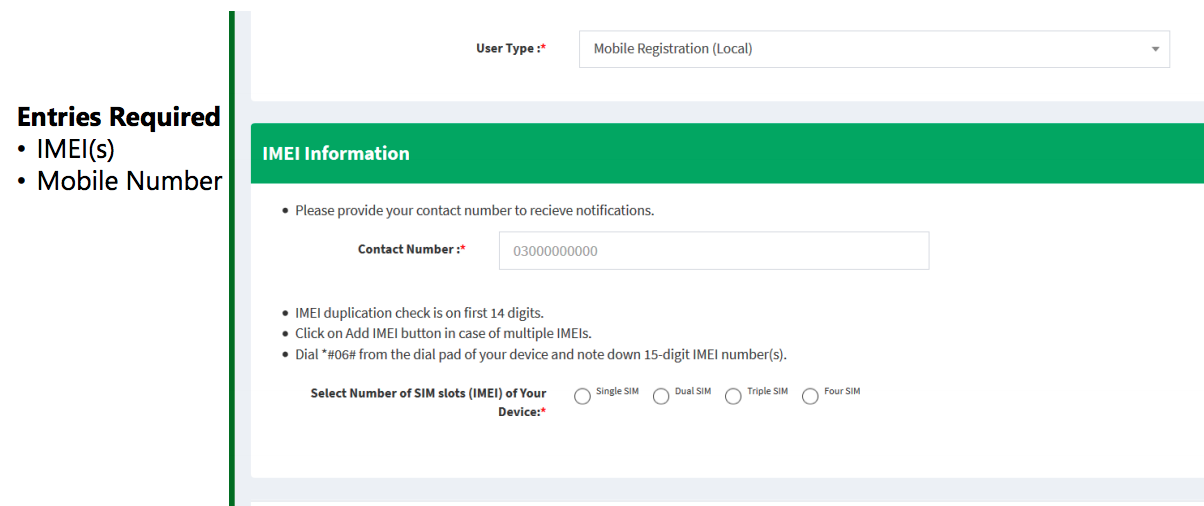
- Local Pakistani Applicant COC Apply
- Courier Services (Mobile Device Receive Through Courier)
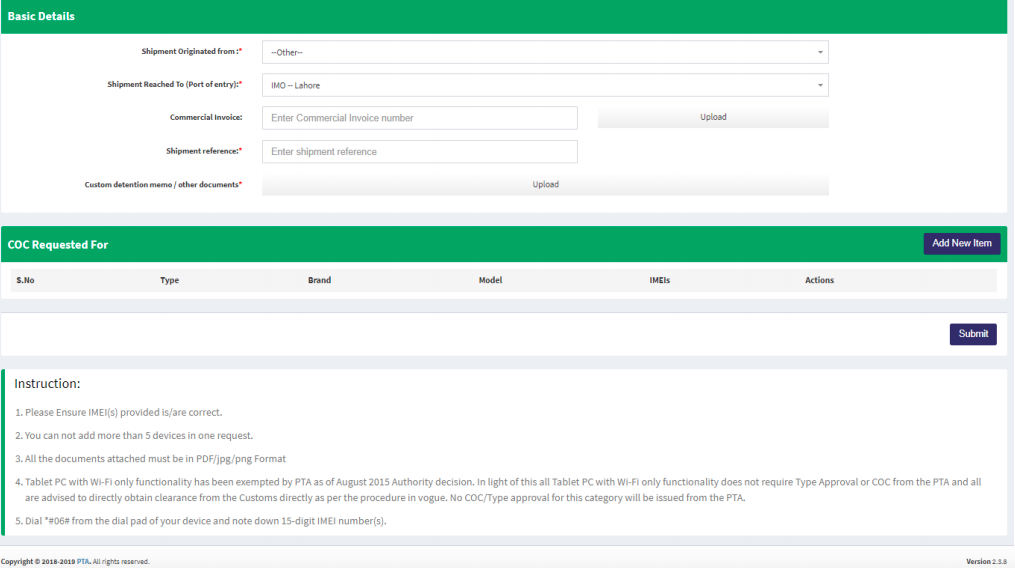
- Apply for CoC (Message received after device registration)
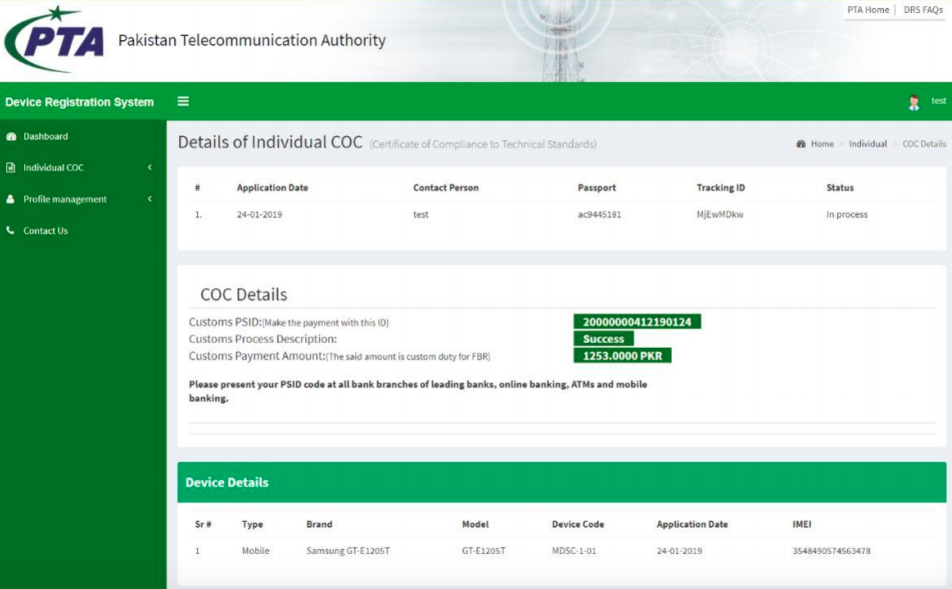
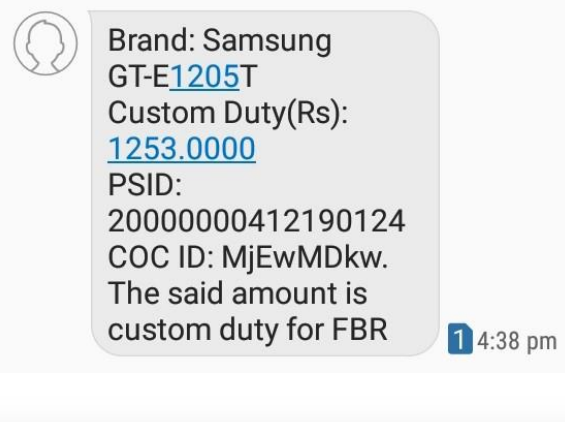
- Message received vis SMS after device registration
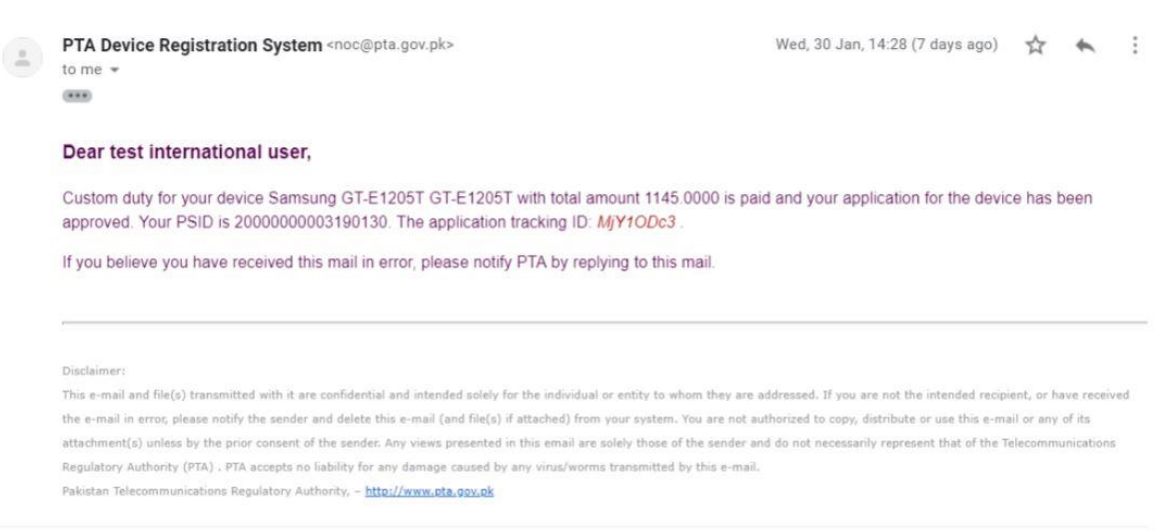
- Email notification of registration of device by paying tax
- DIRBS Subsystems: Device Verification System (DVS)
Consumer and Retailers can verify their IMEI by using multiple
platforms including web portal, mobile app and by SMS short code

Thank You
Download Full Guide Set by Step in PDF
-
OFFICIAL TIMING FOR ISSUES RELATED TO DIRBS
For the queries / issues related to DIRBS, the visitors are requested to observe following official timing:Monday to Thursday (09:00 AM to 03:00 PM)
Friday (09:00 AM to 01:00 PM) and (02:00 PM to 03:00 PM) -
 C cyberian moved this topic from Tech News on
-
To access the Pakistan Telecommunication Authority’s (PTA) Device Identification Registration and Blocking System (DIRBS), you need to log in to the DIRBS portal. Here’s a step-by-step guide:
How to Log In to DIRBS
-
Visit the DIRBS Portal:
- Open your web browser and go to the DIRBS portal.
-
Access the Login Page:
- On the DIRBS homepage, you will find options for checking your device’s status and other related services. Look for the login option or relevant sections related to user accounts.
-
Login Credentials:
- Username: If you already have an account, enter your registered username.
- Password: Enter your password associated with the DIRBS account.
- If you are logging in for the first time or have not created an account yet, you may need to register or create an account. Look for the registration or sign-up option on the portal.
-
Two-Factor Authentication (If Applicable):
- Some systems may require two-factor authentication (2FA) for added security. Follow the instructions to verify your identity if prompted.
-
Access Your Dashboard:
- Once logged in, you should be able to access your dashboard where you can view and manage your device registration status, check PTA tax, and perform other related actions.
If You Encounter Issues
- Forgot Password: If you have forgotten your password, use the “Forgot Password” or “Reset Password” option on the login page to reset it.
- Account Issues: For problems related to account access or registration, contact PTA support through their official channels or helplines.
Additional Resources
- PTA Website: For more information and assistance, you can visit the PTA official website or use their contact information for support.
- Help and Support: Look for help or FAQ sections on the DIRBS portal for guidance on common issues.
By following these steps, you should be able to log in to DIRBS and manage your device registration and PTA-related tasks.
-
 PAK VS BAN Live

File Sharing